Go Back
Un-Compromised
Connecting farms, farmers, and planners through one connected system.
Role: UI/UX Designer
Platforms: Web Dashboard (Admin + Planner), Hindi Mobile App (Farmers)
Duration: 3 months includes iteration
Overview
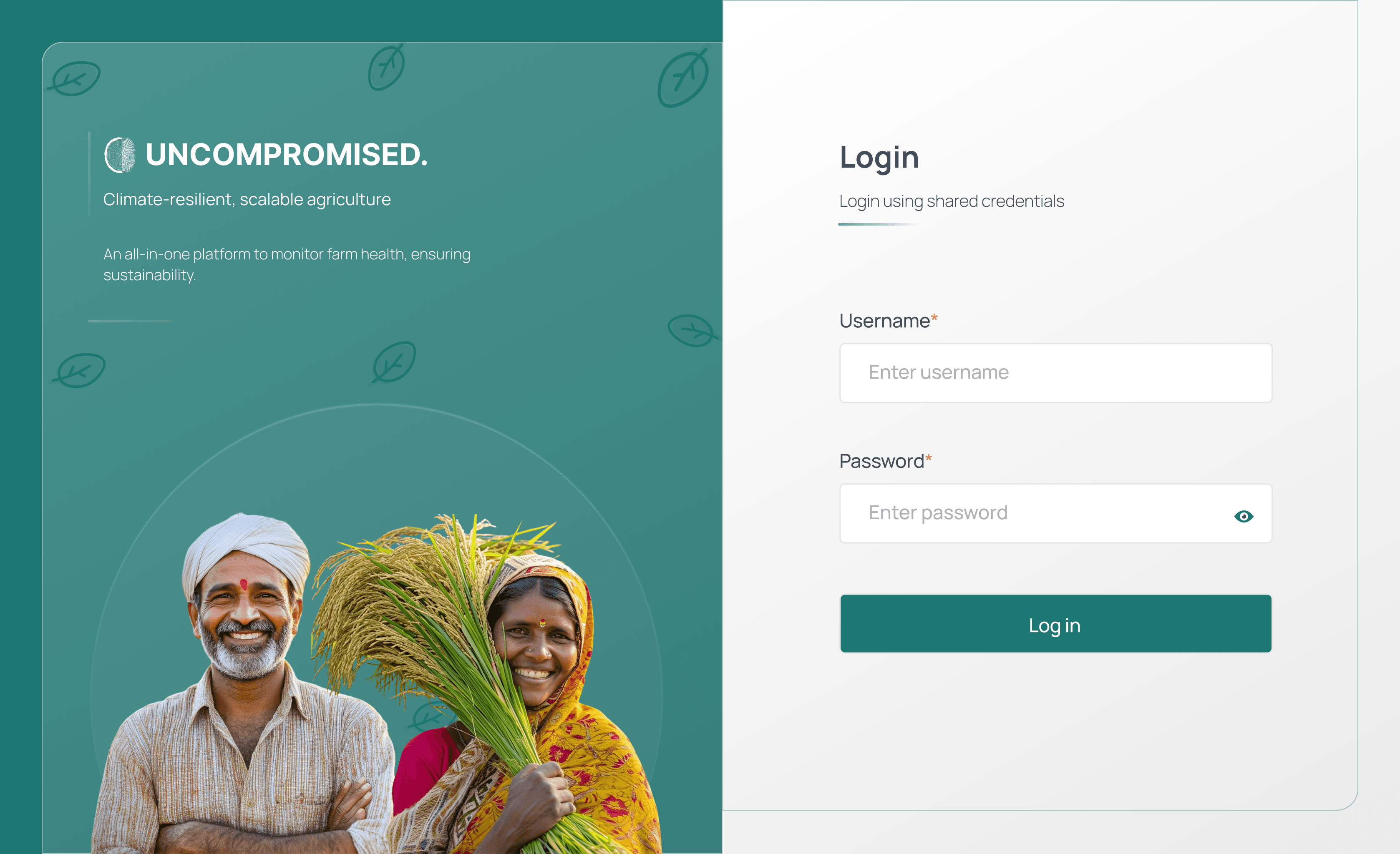
Un-Compromised is a digital solution that connects admins, planners, and farmers to simplify daily farm task management.
Through the dashboard, admins and planners can easily assign, track, and manage tasks for each farm. Farmers access these tasks through a Hindi mobile app, where they can view details, mark them as completed or not completed, and upload proofs (photos or videos) for verification.
If a task isn’t completed on a given day, it is automatically rescheduled for the next day, reducing manual follow-up work for planners. This system ensures better coordination, transparency, and efficiency, replacing the old WhatsApp-based workflow.
In the future, AI-based verification can be integrated to automatically check uploaded proofs, further improving accuracy and saving time for the admin team.
The Problem
Before Un-Compromised, admins and planners coordinated farm work through WhatsApp messages and Excel sheets.
This approach led to:
Difficulty in tracking task progress.
Missing records of proof and updates.
Communication delays and confusion among farmers.
No clear visibility into farm health or farmer performance.
The challenge was to create a digital bridge connecting the field (farmers) and the office (admins/planners) through a unified, intuitive system.
The Goal
Simplify task assignment and tracking for planners.
Empower farmers with a Hindi-based, easy-to-use mobile interface.
Enable real-time updates on farm activities and task performance.
Maintain complete records tasks, farms, proofs, and user data for better decision-making.
Dashboard (Admin & Planner Side)
1. Workplace Tab
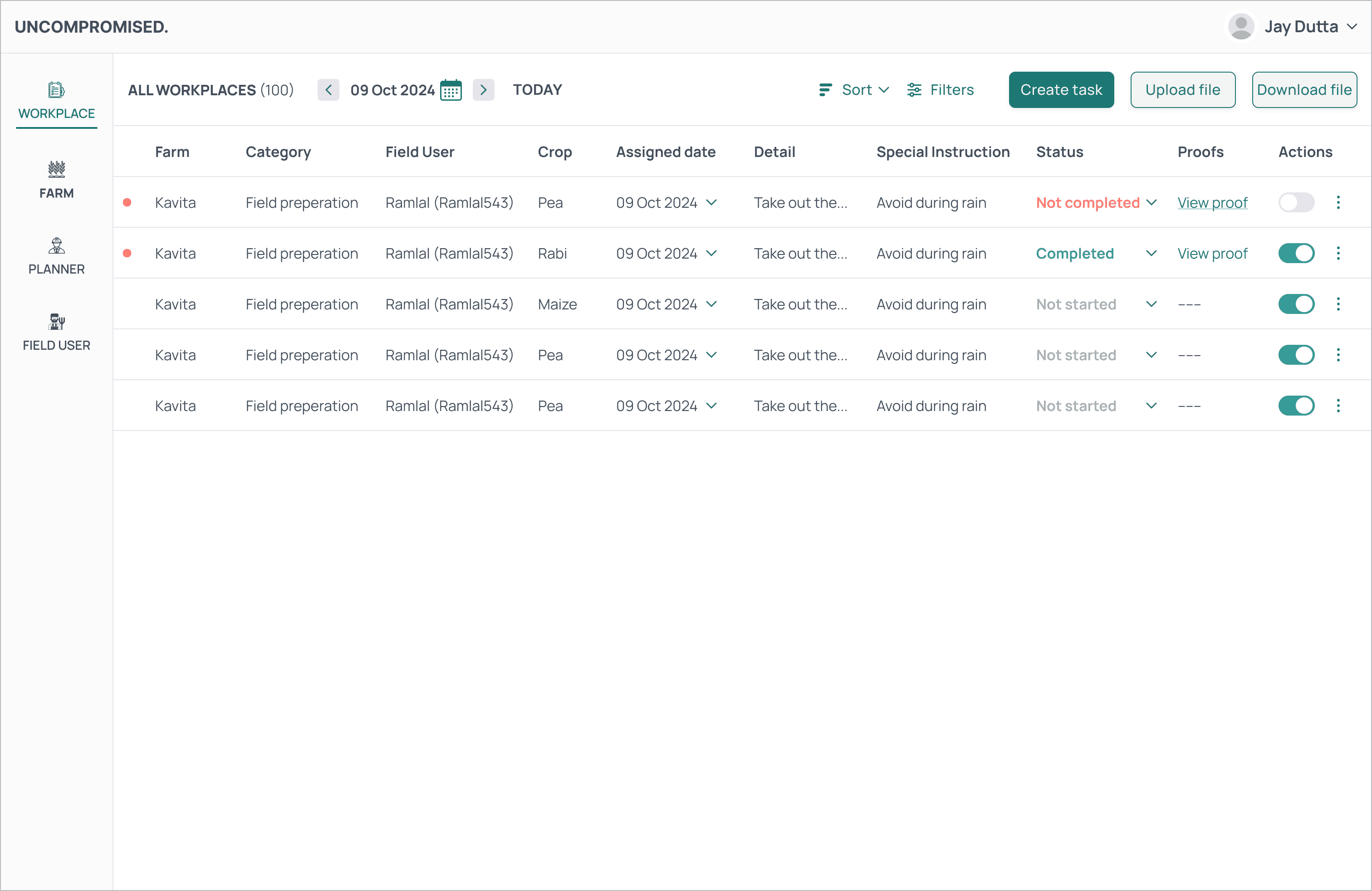
A comprehensive overview of all tasks in a tabular format:
Farm Name, Task Category, Assigned Farmer, Date, Crop, Priority, Task Details, and Status (Completed / Not Completed).
Proof Section: Displays images/videos uploaded by farmers.
Actions:
Edit Task
Delete Task
Duplicate Task (to easily replicate recurring tasks)
This view acts as a command center for planners showing what’s happening on each farm, who’s responsible, and how work is progressing.
2. Farm Tab
Displays all registered farms with key details:
Farm Name, ID, Address, and Images.
Actions: Edit or Delete farm details.
This section ensures all farm-related data stays up-to-date and easily accessible.
3. Planner Tab
Lists all planners with essential information:
Name, ID, Address, Contact, and Email.
Actions: Edit, Delete, or View Details.
This tab helps in managing the team responsible for assigning and supervising tasks.
4. Farmers / Field Users Tab
Contains detailed records of all farmers:
Name, ID, Phone Number, Address, and Email.
Actions: View, Edit, or Delete Farmer Details.
The integration of all user data into one dashboard enables information management at scale, reducing manual work and improving accuracy.
Mobile App (Farmer Side)
Language & Accessibility
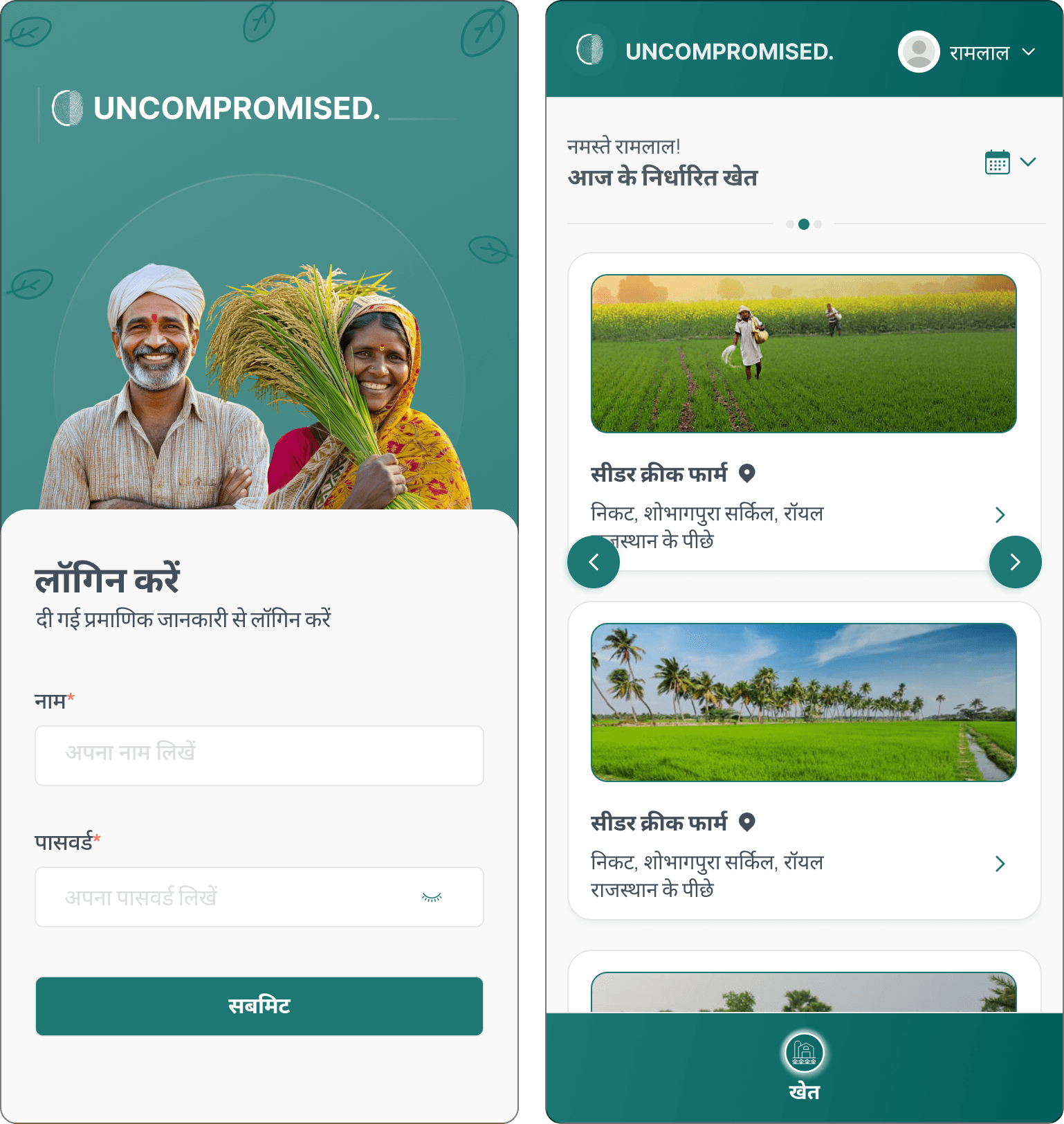
Designed in Hindi for better comprehension and engagement among Indian farmers ensuring digital inclusivity.
Home Screen
Displays Farm Cards showing the farms assigned for the day.
Includes a Calendar View to navigate between dates and check past or upcoming tasks.
Task View
When farmers tap on a farm card:
All daily tasks appear with details like priority, crop, and specific instructions.
Each task includes a status button Completed / Not Completed.
Task Update Flow
When updating a task, farmers can:
Upload proofs (image/video).
Add comments or reasons for incomplete tasks.
Tasks marked incomplete are auto-rescheduled to the next day, ensuring no task is lost or forgotten.
Real-Time Sync
As soon as farmers update a task, the dashboard receives an instant notification, keeping admins informed in real time.
Task Update Flow
When updating a task, farmers can:
Upload proofs (image/video).
Add comments or reasons for incomplete tasks.
Tasks marked incomplete are auto-rescheduled to the next day, ensuring no task is lost or forgotten.
Real-Time Sync
As soon as farmers update a task, the dashboard receives an instant notification, keeping admins informed in real time.
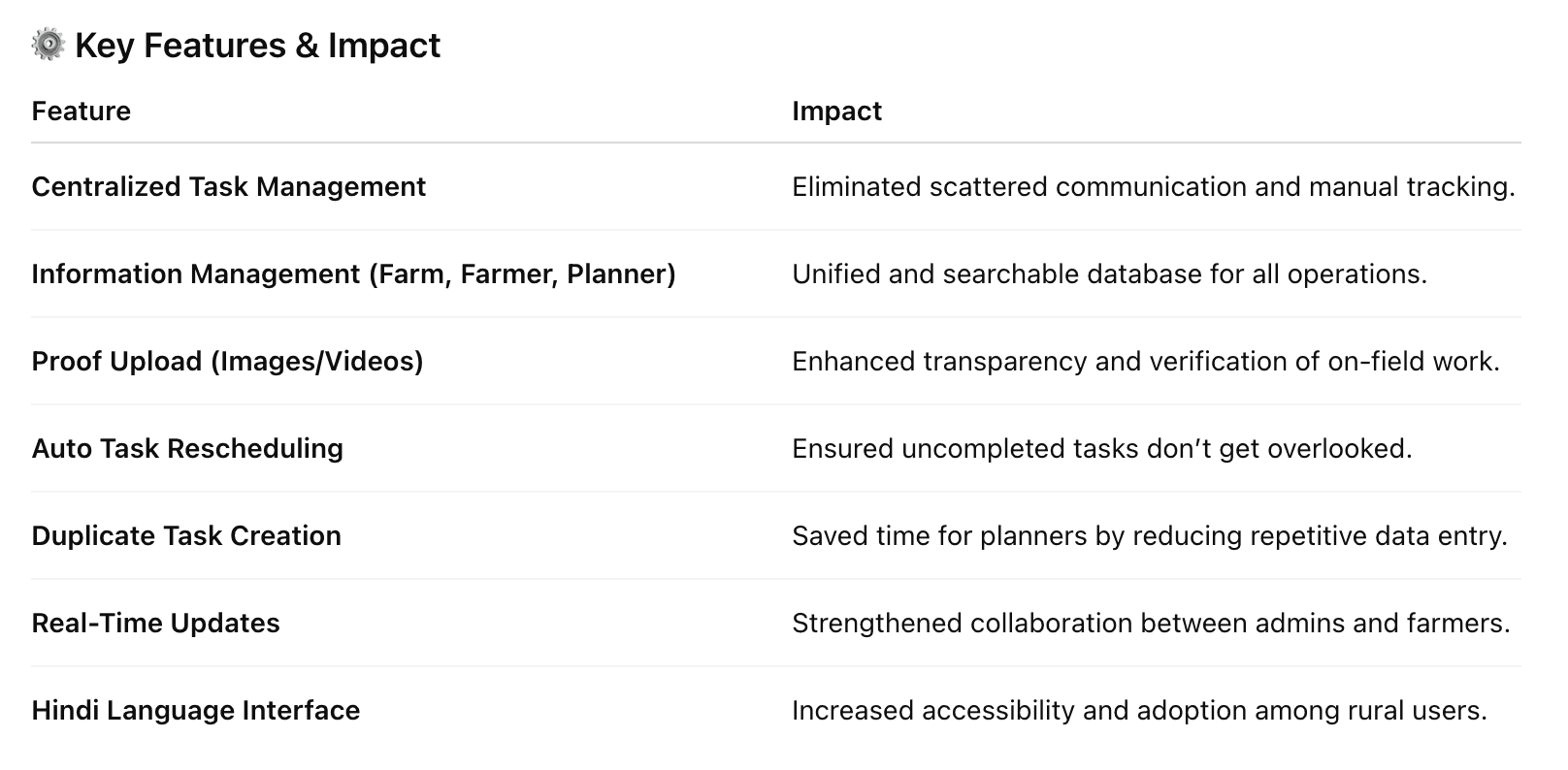
The Result
The Un-Compromised ecosystem successfully bridged communication gaps between farms and administrators.
It transformed a manual, time-consuming process into a structured, trackable system improving productivity, accountability, and clarity for all stakeholders.
Admins now have a single source of truth, and farmers experience less confusion and more empowerment.
My Role & Contribution
UX Research: Mapped existing workflow between admins and farmers.
Information Architecture: Structured dashboard and mobile app flows.
UI Design: Created responsive interfaces and intuitive task flows.
Prototype & Testing: Tested with actual users (admins & farmers) to validate usability and clarity.
Interaction Design: Defined smooth transitions and feedback states for all actions.
Final Takeaways
Working on Un-Compromised made me realize that good design isn’t just about screens and layouts it’s about truly understanding the people who use it. Their behavior, language, and comfort with technology shape everything. The app might look simple, and its UI may not attract many tech-savvy users, but it’s perfect for the persona we designed it for. In the end, that’s what really matters designing for real users.