
Go Back
TripSavvy – UX Case Study
A travel planning & expense-splitting app designed for effortless group and solo trips.
Role: UI/UX Designer
Platforms: Responsive Website
Duration: 2.5 Months includes iteration
Overview
TripSavvy is a comprehensive travel planning and expense-management app designed to simplify every stage of a trip. It helps travelers create day-wise itineraries, discover places, navigate cities, store documents securely, and fairly split expenses among companions. With built-in features like a translator, travel diary, local recommendations, and companion finder, TripSavvy brings everything a traveler needs into one seamless, intuitive experience.
Why do we need TripSavvy?
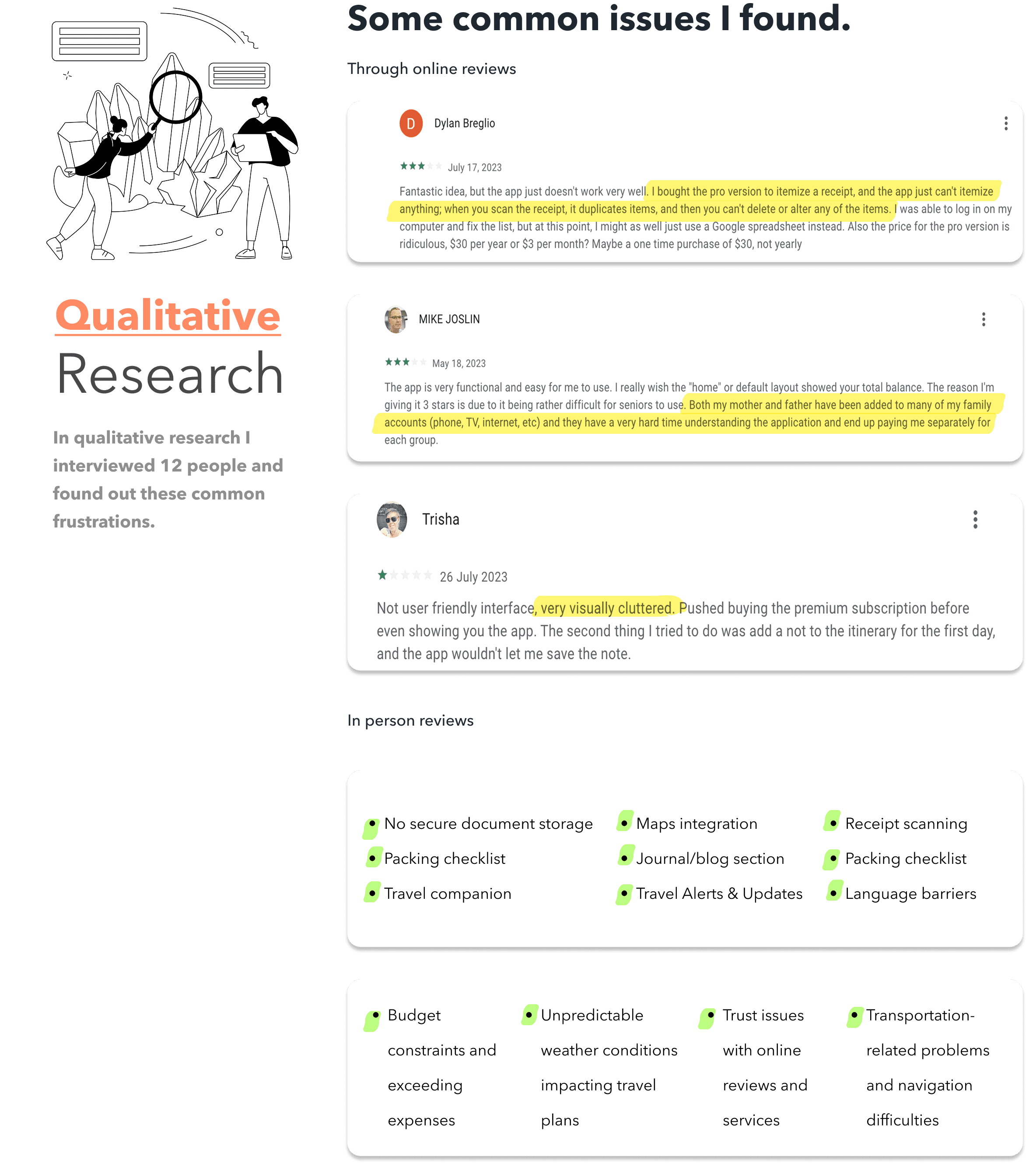
Traveling is exciting , but planning, budgeting, and coordination often create frustration. Confusion in planning day-to-day itineraries
Difficulty splitting expenses fairly within groups
Mismanagement of travel documents
Lack of reliable local recommendations
Navigation issues in new cities
Language barriers
Budget exceeding due to poor tracking
No all-in-one tool for itinerary + expenses + discovery
Quantitative Research (53 Survey Responses)
Key frustration metrics:
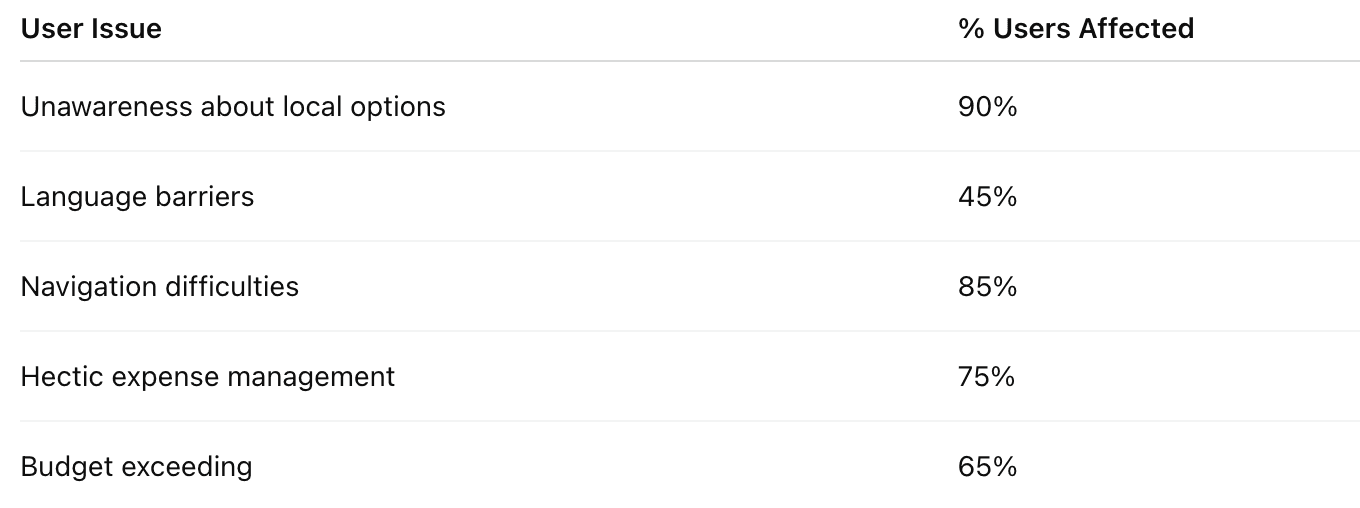
Conclusion: The major opportunity lies in building a product that combines planning + budgeting + navigation + language support.
Competitor Analysis
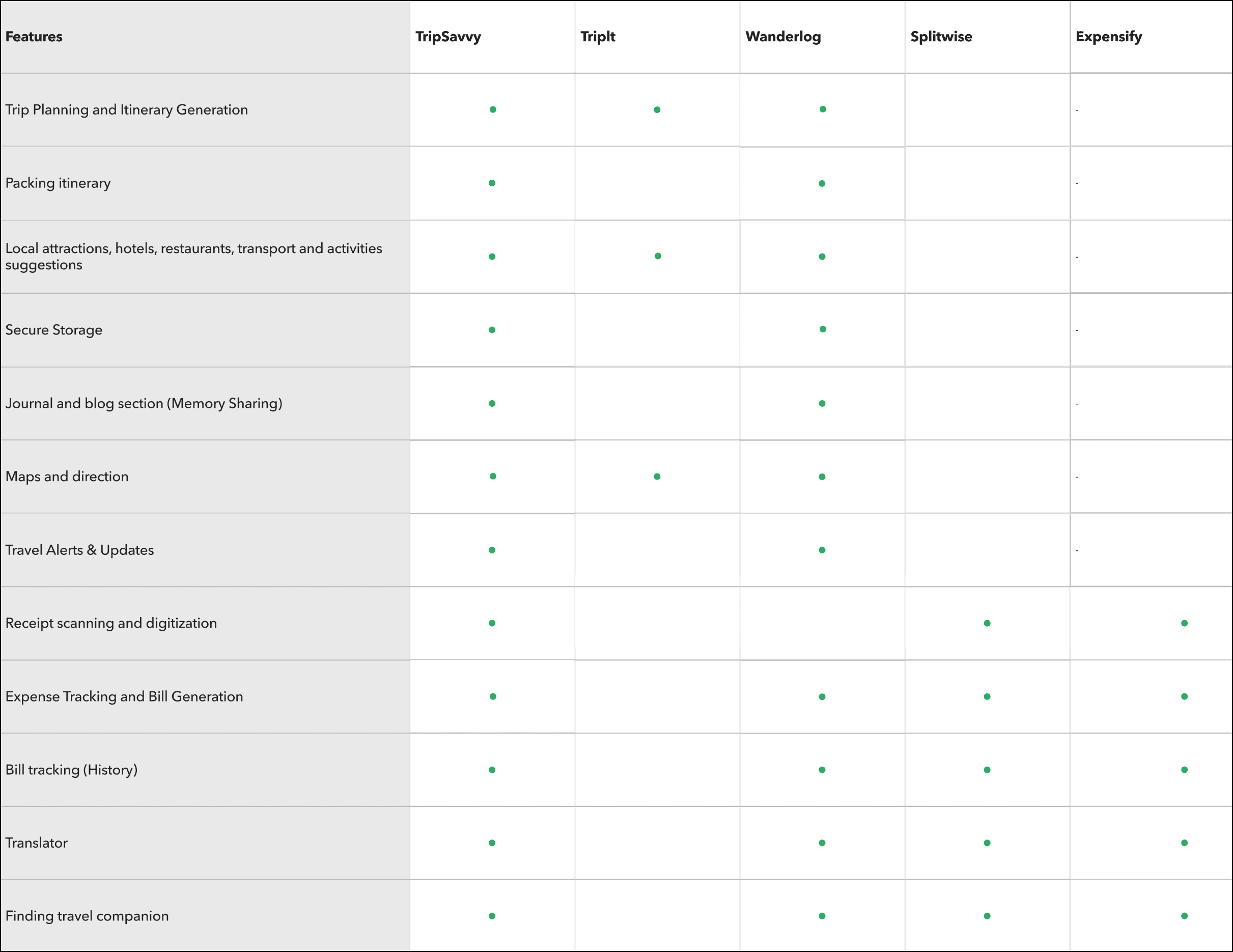
I analyzed major apps like TripIt, Wanderlog, Splitwise, Expensify, and others.
Gaps in competitors:
No single app covers both itinerary + expense splitting
Weak packing & document storage features
Limited local discovery or suggestions
No built-in translator
No option for finding travel companions
No journaling or memory-sharing
Opportunity:
TripSavvy can fill the gap as an all-in-one travel management ecosystem.
User Persona
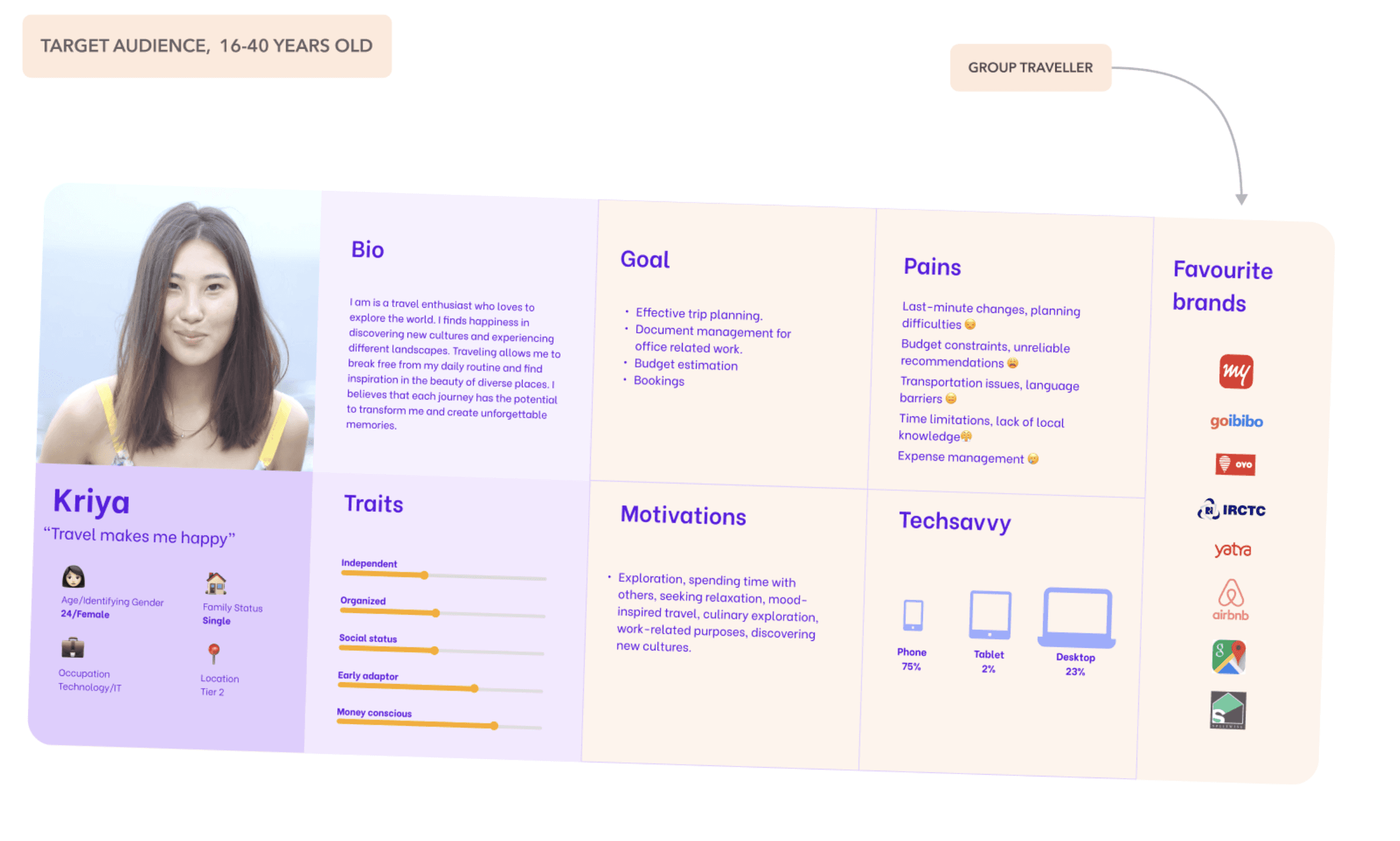
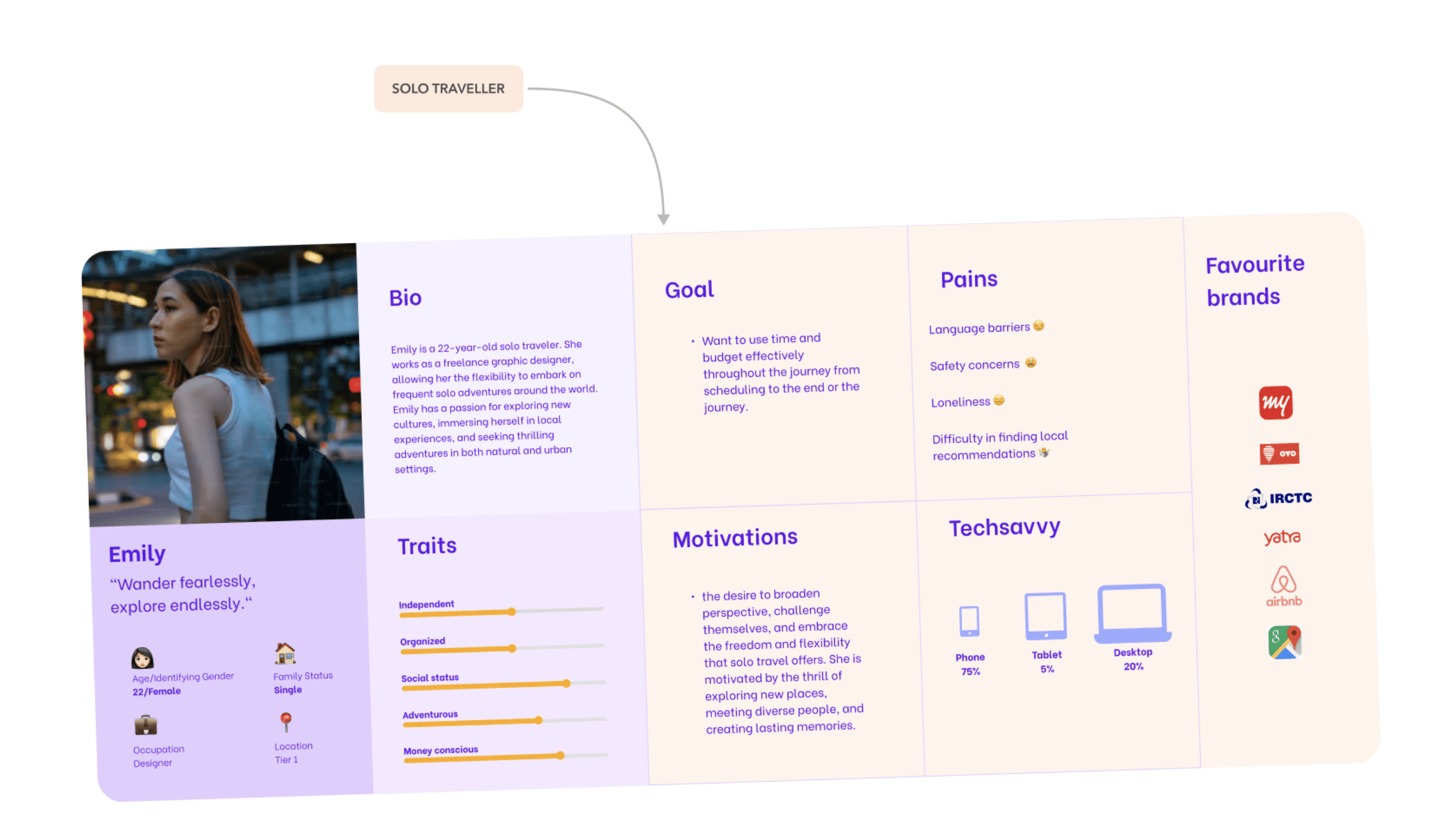
I created two personas based on research:
A. Group Traveler
Travels with friends/family
Needs expense splitting
Wants transparent budgeting
Needs coordination & shared planning
B. Solo Traveler
Needs language assistance
Wants authentic recommendations
Needs secure document storage & navigation support
Storyboarding
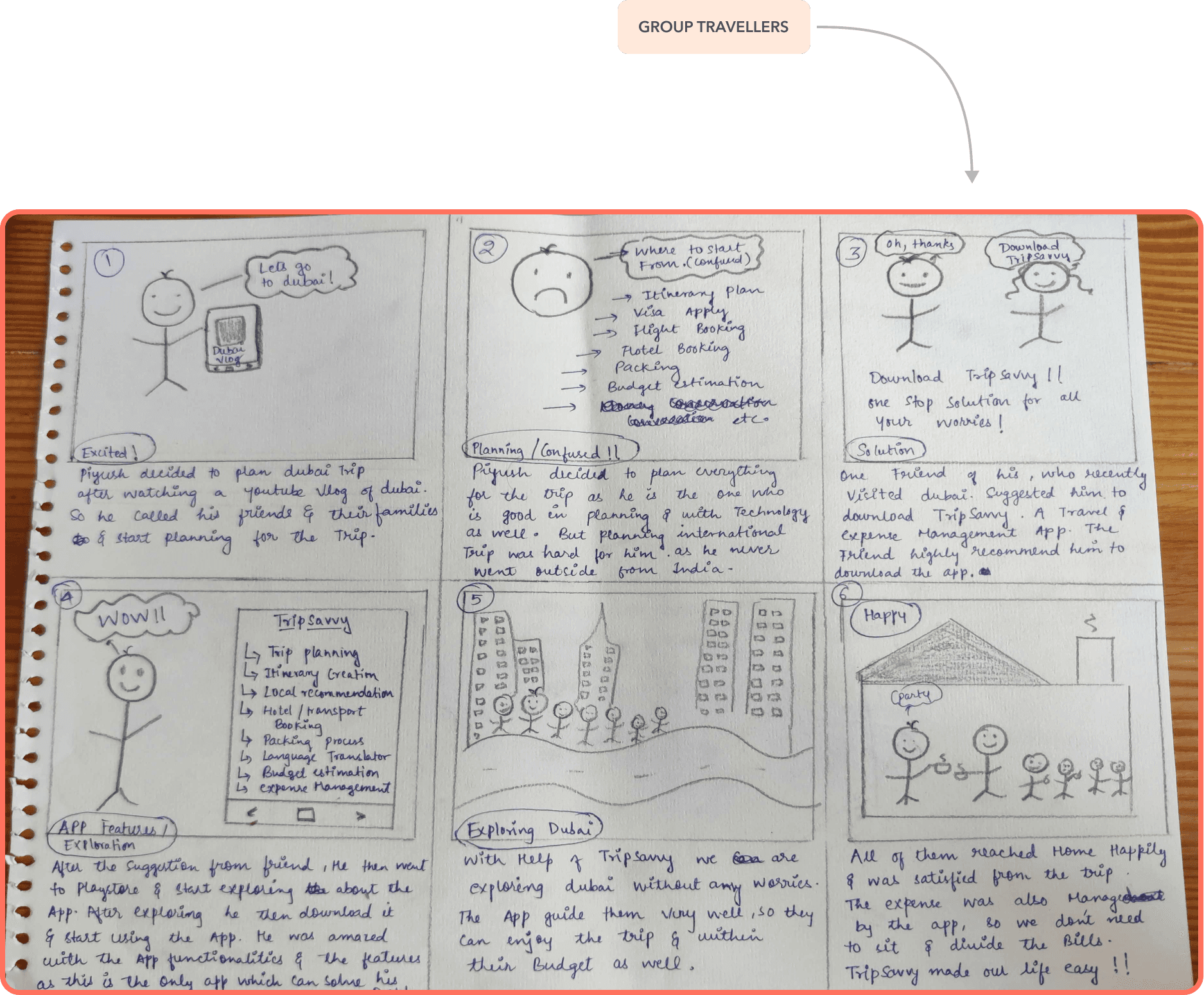
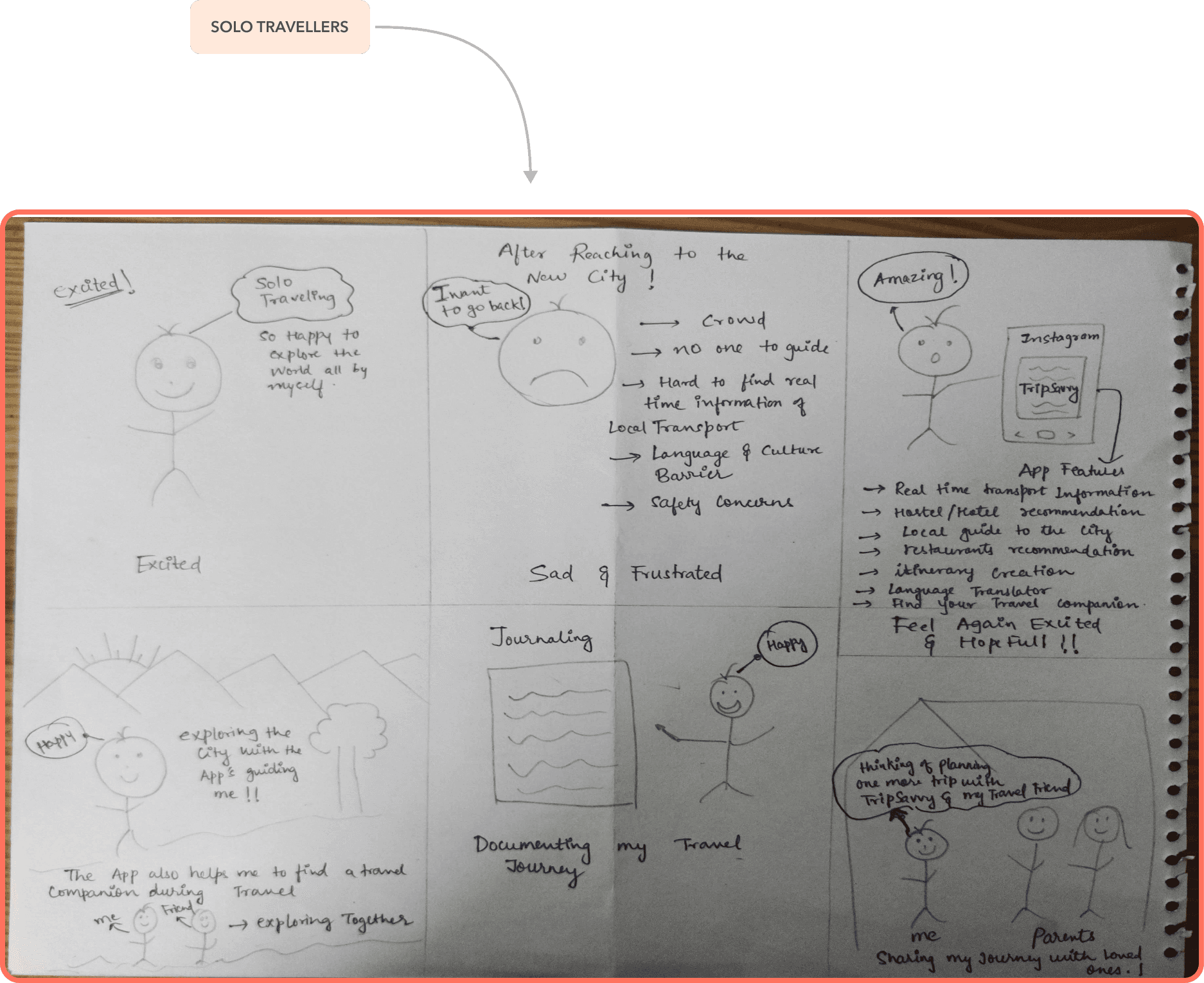
To visualize the user journey, I created storyboards showing how users discover TripSavvy, plan trips, track expenses, and record memories before, during, and after travel.
User Flow
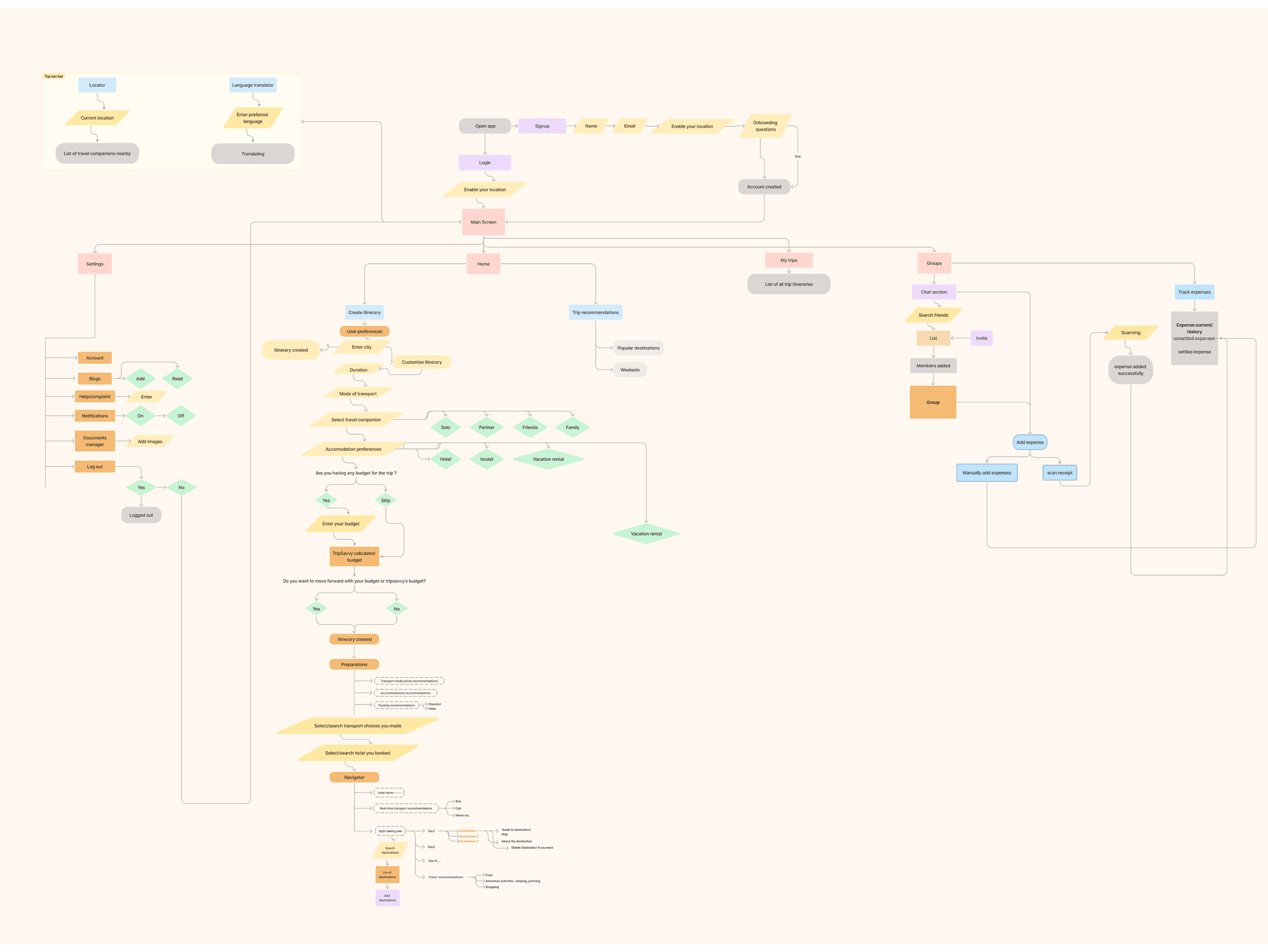
A complete journey from entering the app → discovering a destination → planning → traveling → splitting expenses → sharing memories.
Key Features I Designed
Itinerary & Travel Planning
Day-wise sightseeing plan
Map integration
Suggestions based on city
Opening hours & travel modes shown clearly
Replace/Edit activities easily
Smart recommendations (beach/mountain/lake)
Expense Management
Add receipts
Scan receipts
Share & split among group
Bill history
Total budget overview
Discovery Section
Search any city
Top destinations
Activities, restaurants, hotels
Trending blogs
Local recommendations
Travel alerts
Travel Companion Finder
Find other travelers heading to the same destination.
Real-time Translator
Break language barriers with instant translation.
Memory Sharing
Journals
Blogs
Trip diaries
Memory Sharing
Journals
Blogs
Trip diaries
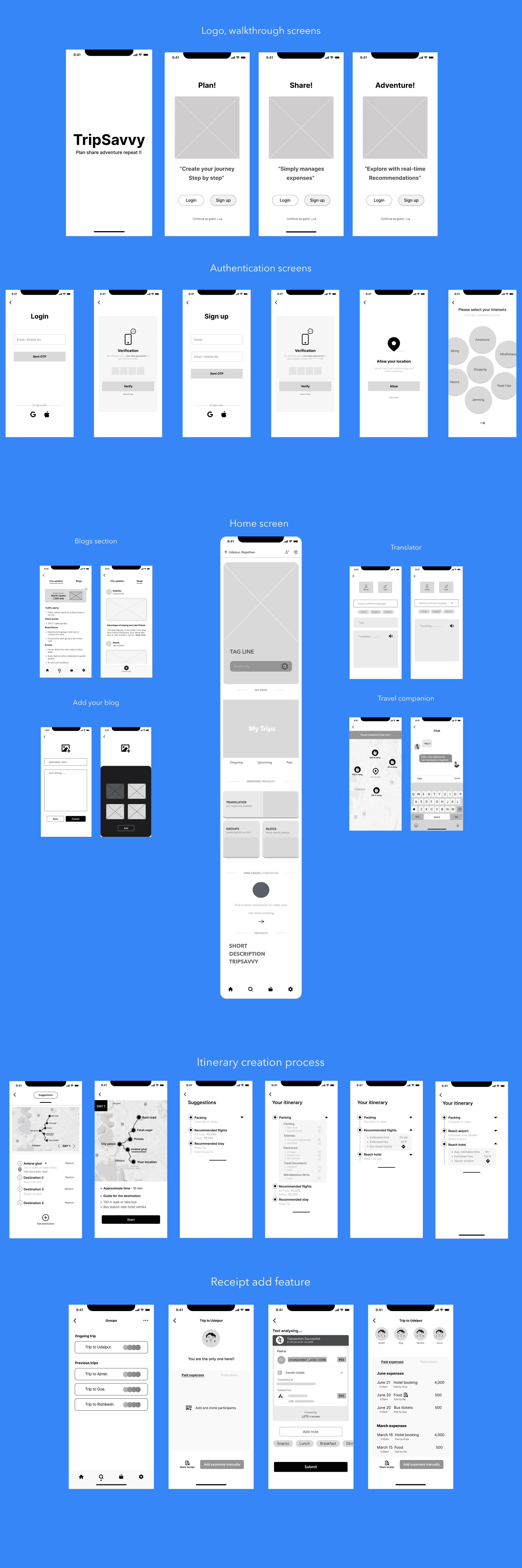
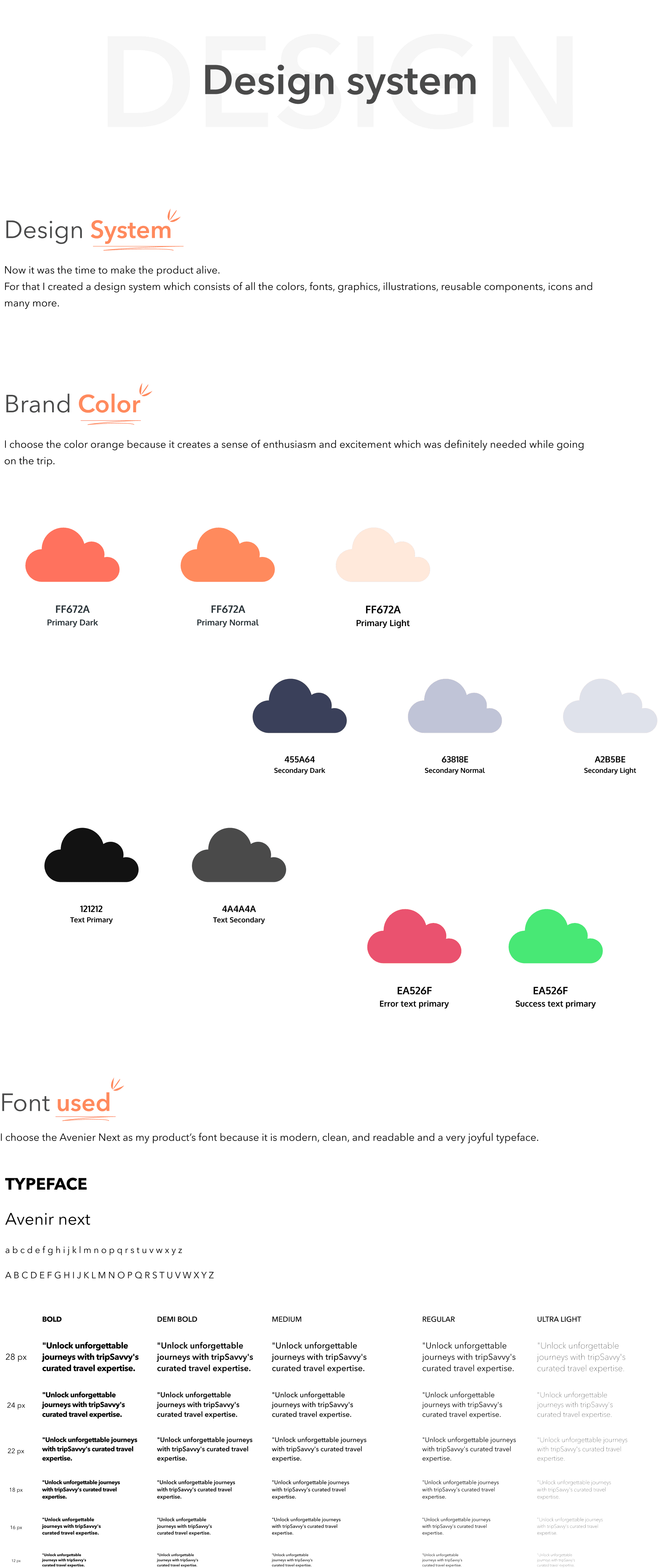
Wireframes & Visual Design
I designed:
Low-fidelity wireframes
Refined mid-fidelity flow
High-fidelity visually appealing UI
Consistent visual language, typography & color palette
Clean navigation using bottom bar tabs
Modern, fresh travel-inspired theme

Usability Testing
After testing the prototype with real users, several patterns became clear. Many found the expense entry process longer than expected, so it was simplified to make adding and splitting costs effortless. Users also felt uncertain about where certain features were located, leading to a clearer and more intuitive navigation structure.
Some labels and terms didn’t feel natural to travelers, so I refined the language to be more user-friendly. The trip summary screen also needed better clarity, which resulted in more visual, easy-to-read summaries. Users wanted to plan itineraries faster, so the steps were reduced to create a smoother flow. Finally, the city discovery section was redesigned to feel more intuitive and engaging based on how users explored destinations during testing.
These refinements helped shape TripSavvy into a more seamless and user-centered experience.
Takeaway
This project reinforced how essential real user feedback is in shaping a product. Assumptions I made early on didn’t always match how users behaved, and testing helped uncover gaps that weren’t visible during design. I learned the importance of simplifying actions, choosing the right words, and ensuring that every interaction feels natural and predictable. Most importantly, user testing reminded me that good design isn’t just about how something looks—it’s about understanding how real people think and make decisions. It validated the design, challenged my biases, and guided the product toward a more meaningful and user-centered experience.